OCR / IDP
Document AI Beyond OCR: Designing an IDP Pipeline for Handwritten and Multi-Language Forms
Extraction accuracy on printed invoices says little about performance on a smudged claim form in three languages. Here is how to design a document pipeline where confidence is calibrated, humans handle the right 8%, and every correction becomes training data.
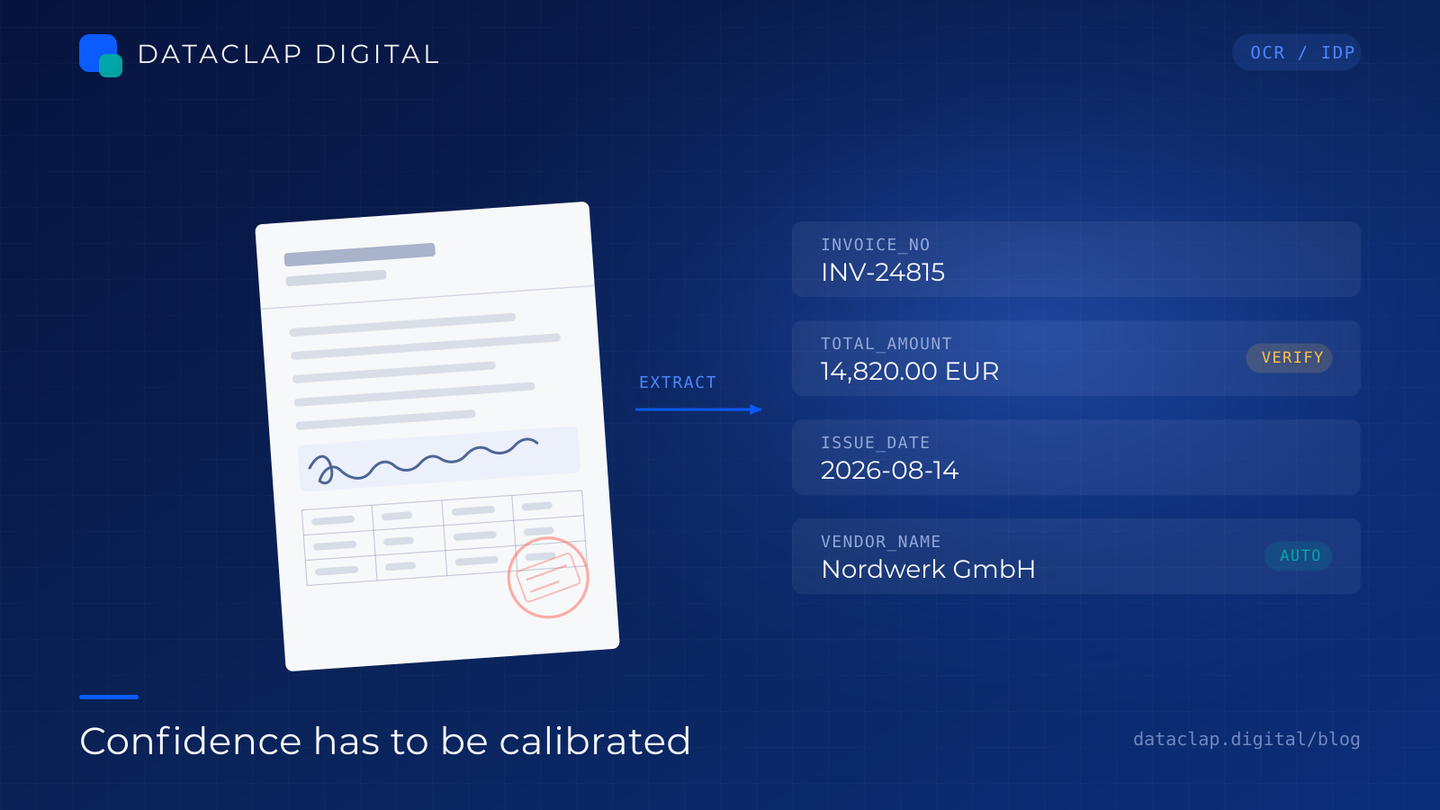
Every document AI demo goes the same way. The vendor uploads a clean, printed, English-language invoice, the extraction comes back perfect, and everyone nods. Then the client sends a real batch: a photographed insurance claim with a coffee ring on it, a field filled in by hand, a stamp in one language and a signature block in another, and a table where the columns have drifted by ten degrees because the page was scanned crooked.
The demo worked because the hard parts were absent. Production document work is mostly the hard parts.
This is less a post about better OCR and more about designing the pipeline around it. The extraction model is one component. The architecture around confidence, review, and feedback is what determines whether the thing survives contact with real paperwork.
Stage 1: Treat ingestion as the highest-leverage step
Most extraction failures I have debugged were not model problems. They were image problems.
- Skew and rotation. Even 2–3 degrees hurts row alignment in tables and breaks field-boundary assumptions.
- Perspective distortion. Phone photos of forms are trapezoids, not rectangles. Detecting the document quadrilateral and warping to a flat rectangle is a prerequisite, not a nicety.
- Lighting and shadow. Half the page underexposed makes binarisation useless; work on normalised grayscale before thresholding.
- Resolution. Upscale low-DPI scans for handwriting. Handwriting recognition needs more detail than printed text.
- Colour and stamp bleed. A red stamp over a handwritten field can erase the strokes behind it. Channel separation helps more often than people expect.
Log a per-document quality score from this stage (blur, skew angle, contrast, estimated DPI). That score is a predictor. If you can flag bad images before extraction, you can route them straight to human review and skip a doomed model call.
Stage 2: Classify and route before you extract
Do not run one giant model over everything. Classify the document first—type, layout family, language(s)—then apply the extraction path that fits.
Language detection matters more than teams expect. A form can be bilingual with printed labels in one language and handwritten answers in another. Fields in a low-resource script will need a different model and a different reviewer skill set, so route on language, not just document type.
Stage 3: Extract per field, not per page
This is the design decision that most improves downstream usefulness. Page-level "extraction succeeded" is nearly meaningless. What matters is field-level accuracy, because a single wrong digit in an amount or an account number can invalidate an entire record.
For each field, capture:
- Value as structured data (not just a string—normalise dates, currencies, IDs)
- Confidence, calibrated (more on that below)
- Source bounding box, so a reviewer can see exactly where it came from
- Validation status against business rules
Tables deserve their own handling: detect the structure first (rows, columns, merged cells), then extract cell by cell, then reconstruct. Extracting a table blob as text and hoping the LLM parses it into the right shape is where a lot of quiet errors live.
Stage 4: Calibrate confidence or it will lie to you
Raw model confidence is not a probability. A softmax score of 0.92 does not mean "92% likely correct," and treating it that way is why straight-through processing rates look good in testing and bad in production.
Calibrate on a labelled sample. Take 500–1,000 documents with known ground truth, bucket predictions by confidence, and measure actual accuracy per bucket. Then set thresholds so that a confidence band means what you think it means.
A rough pattern I see after calibration:
| Field criticality | Auto-accept threshold | Behaviour below threshold |
|---|---|---|
| Low (memo line, notes) | 0.80 | Accept, flag for sampling |
| Medium (date, category) | 0.90 | Light review queue |
| High (currency amount, account number, ID) | 0.97 | Mandatory human verification |
The exact numbers are client-specific. The principle is not: the threshold should be a function of the cost of being wrong for that field, not a single global setting.
Stage 5: Route humans by risk, not by volume
Human review is expensive, and reviewing everything defeats the purpose. Reviewing only the model's own low-confidence items misses confidently wrong extractions—the dangerous kind.
Three routing lanes work well:
- Auto-accept. High confidence, rules pass. Sample 2–3% for quality monitoring.
- Verify. Medium confidence, or a rule flagged it. A human confirms or corrects; the model's value is shown alongside the source crop.
- Manual key-in. Low confidence, bad image, novel layout, or a field type the system has never seen.
Add a random audit lane: a small random slice of auto-accepted items goes to review regardless of confidence. Without it you have no way to measure the false-accept rate, and the false-accept rate is your real quality number.
Make review as fast as possible. The single biggest throughput lever is putting the source crop, the extracted value, and the keyboard focus in the same place. Reviewers who have to hunt for the region on the page cost you 3–4x per item.
Stage 6: Close the loop
Every human correction is a labelled example. The pipeline should capture the corrected value, the model's original value, the confidence, the field type, and the layout family—then feed the highest-value corrections back into retraining or prompt refinement.
Without this loop, your system gets no better over time and the same layout keeps failing every month. With it, the correction volume drops measurably quarter over quarter—which is the metric to report to whoever owns the budget.
The metrics that actually matter
Skip "OCR accuracy." Report:
- Field-level accuracy by field type, not page-level accuracy
- Straight-through processing rate at a fixed accuracy bar (the share of documents needing no human touch while meeting your accuracy target)
- False-accept rate from the random audit lane—the number that protects you
- Correction rate and its trend over time
- Cost per document, including human minutes
- Turnaround time by lane
Rollout: pilot small, then widen
Start with a few hundred real documents, deliberately including the ugliest ones you can find. Measure the numbers above. Fix the guideline and thresholds. Only then scale volume—and scale by document type, one family at a time, rather than turning everything on at once.
Two things to settle before scaling: a data retention and redaction policy (documents like claims and IDs carry PII, so define what is stored, where, and for how long), and an audit trail that records who corrected what and when. In regulated domains this is not optional, and retrofitting it later is painful.
The short version
Better OCR helps. It is rarely the bottleneck. What moves the needle is preprocessing that respects real images, field-level confidence that has been calibrated against ground truth, human routing that follows the cost of error, and a feedback loop that turns corrections into training data. Get those four right and the same OCR engine that struggled on the messy batch starts looking competent—because you stopped asking it to do the whole job alone.
We run OCR and intelligent document processing engagements end to end—capture, extraction, verification, and governed delivery—with human-in-the-loop review built into the pipeline rather than bolted on at the end.
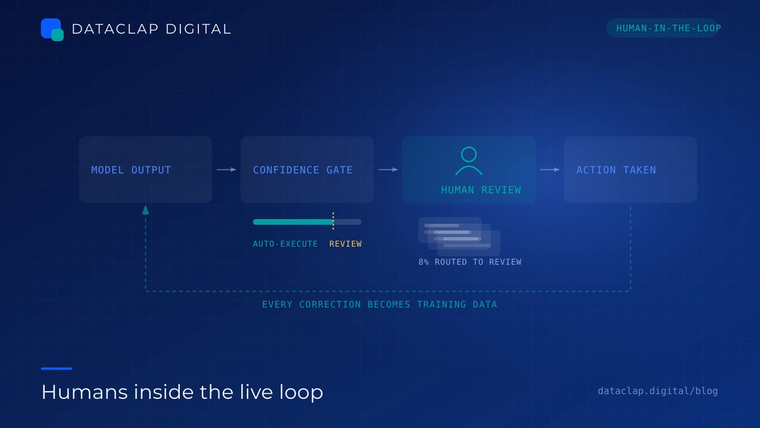
Putting Humans in the Live Loop: Designing Review That Fits Inside a Real SLA
Reviewing training data offline is one job. Putting a person between an AI's prediction and a real-world action is another. Here is how to design live human review that improves outcomes without becoming the bottleneck it was meant to remove.
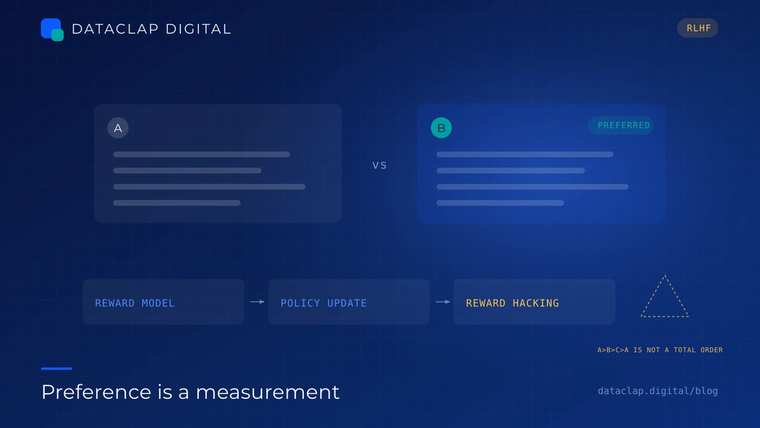
Preference Data Is Not a Ranking Problem
If you collect comparisons the way you collect labels, your reward model will learn your annotators' habits instead of your users' preferences. Here is what to change in the collection design before you touch the training loop.
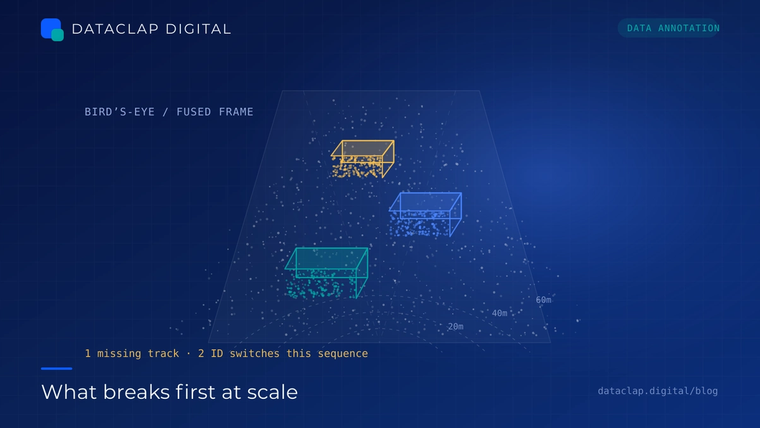
LiDAR and Point Cloud Annotation at Scale: What Breaks First
Sensor calibration drifts, objects vanish behind a truck for 40 frames, and two annotators disagree about where the boot of a car ends. A practical look at the failure modes that actually slow down 3D annotation programmes.